
Save links
Keep your most visited websites and web apps in a single personal collection.
Save links, websites and online tools in one personal homepage. Organize them with categories, visual tiles and flexible views – no installation needed.
ⓘ Beta: Your data stays in this browser only. No account or cross-device sync yet.
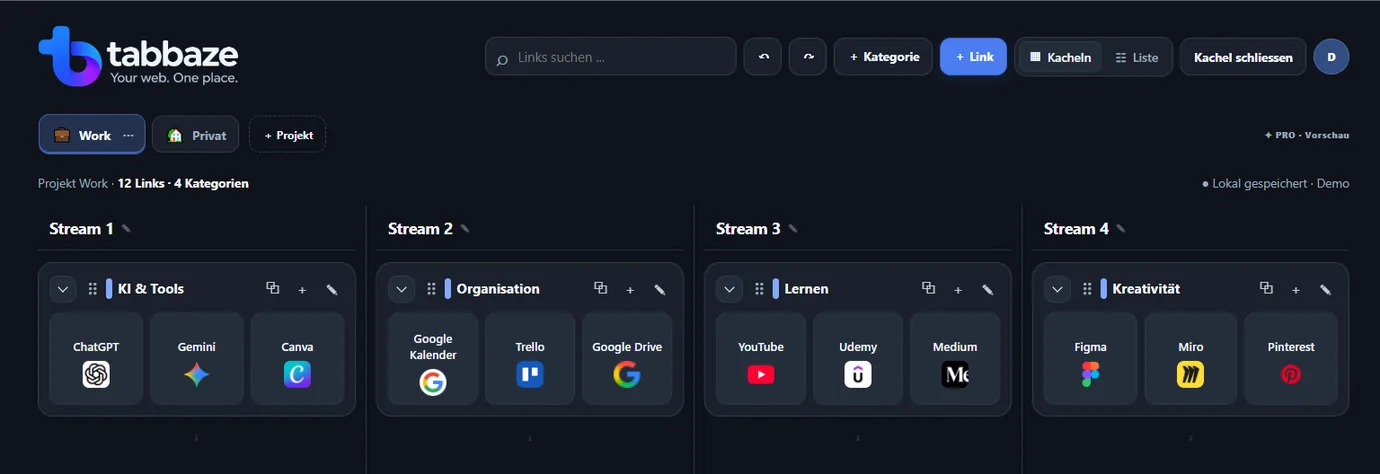
Keep your most visited websites and web apps in a single personal collection.
Sort by work, personal life or any category you create. Move things around freely.
Recognize your tools quickly with clean tiles, colors and custom icons.
Choose one to four desktop streams. Closing a stream moves categories left; adding one gives you more room.
Choose tiles or compact link rows within categories, independently of the stream count.
JSON export and import are included in Free.
Explore the actual workflow
Keep separate Canva URLs for projects, presentations and banners in one visual category. Rearrange the tiles with drag and drop.

Drag a tile to a new position or category. On touch devices: tap a tile, then tap its destination.
Example links only · Your actual workspace is not affectedThese are individual example links, not automatic Canva subfolders.
Organize your own linksBrowser folders and open tabs can get messy. With tabbaze, you save the links you choose in projects and categories. It does not automatically capture or sync your open browser tabs.
Try the free beta ↗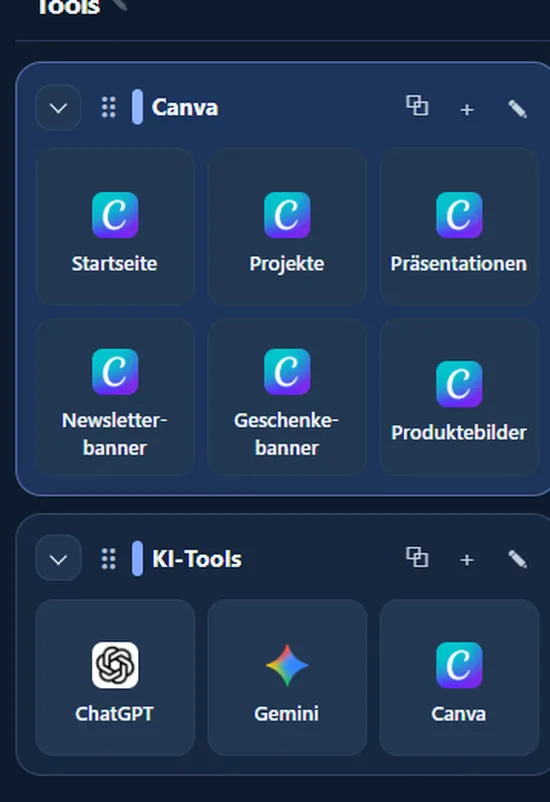
Color themes
Compare three original screenshots of tabbaze. Additional themes are available directly in the application.
The real tabbaze interface
Desktop first, responsive everywhere
Use four side-by-side lanes on desktop. On smaller screens, categories adapt to the available space.
The current beta is free to try. Future paid plans are not available yet.
No. In this beta your workspace is saved only in your current browser. Cross-device sync is planned for a later release.
Yes. JSON export and import are available in Free. The beta stores data locally in this browser; back up your workspace regularly.
No installation is needed. Automatically capturing open browser tabs is not a feature of this beta.