
tabbaze · Guide
Bookmark Manager: Organize Your Favorite Websites
A useful bookmark manager turns a long, messy collection of saved websites into a place you can navigate with confidence. Keep the sites you use most where you can actually find them.
What does a bookmark manager do?
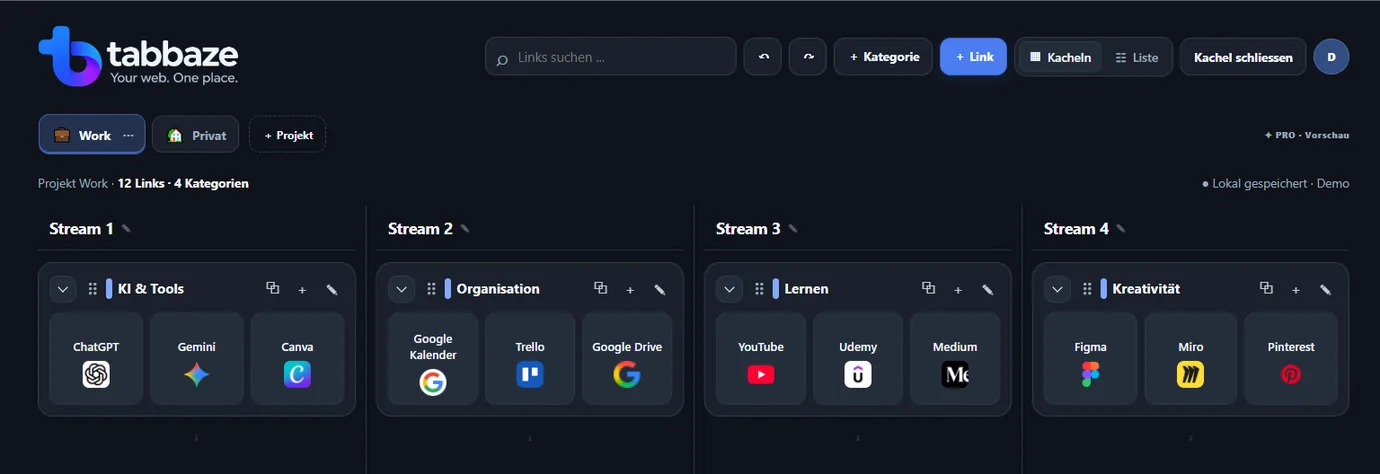
It helps you save links to websites and find them again. While browser bookmarks are often kept in folders, a visual homepage can display sites as tiles grouped by topic. A simple layout works especially well when your daily work involves many online applications.
How to organize bookmarks efficiently
Start by listing the websites you open frequently. Make a few simple categories such as Work, Personal, Learning and Tools. Give each link a recognizable name, add a note where helpful and keep similar websites together. An organized set of links is easier to maintain than dozens of open browser tabs.
How tabbaze works today
tabbaze organizes website links into projects and categories with flexible views. JSON backup is included in Free. Data remains in the current browser; account-based sync is not yet available.
Build a useful starter collection
Start with ten frequently used websites rather than saving every open tab. For example, group mail and calendar under Communication, design and project tools under Work, and course platforms under Learning. Make link names descriptive, then expand the collection only when it helps your routine.
What about browser changes and backups?
The current beta does not sync across devices. JSON backup and restore are included in Free; your data is still stored in the current browser. Clearing browser data may remove your saved links.
Practical tip: Start with the five websites you open every day. Add more categories only when you need them. Export a backup regularly.
A practical example
Example: Group your bookmarks by purpose
Don't just build a longer list of favorites. Start with a few categories that reflect how you work.
This is a simplified illustration, not automatic importing of browser bookmarks.
- Canva – Design
- ChatGPT – Research
- Sistrix – SEO